How to design Astro content collections that scale
A practical guide to choosing collection boundaries, formats, loaders, and schemas as an Astro site grows.


Install this guide as a skill, so your agent can apply it to your Astro site and content collections:
npx skills add zerocms-io/astro-content-collections Introduction
This guide continues from where Astro’s official docs on content collections stops. Specifically, it answers how to structure content into collections, how to design schemas, and how to pick the right format and loader for each kind of content.
If you haven’t yet, I strongly recommend reading the official docs first, as the guide expects a basic understanding of Astro and the content collections.
This guide focuses on build-time content collections. Live collections that fetch data from APIs are not discussed.
What common Astro themes tell us
To get a better view of how content is usually structured, we analysed 13 open-source Astro themes, and how they used content collections.
This is a small, non-random sample, not a claim about every Astro site.
We recorded where each theme stored its blog, docs or portfolio index, about page, homepage, FAQ, and pricing tiers:
| Content | Hardcoded in markup | In a collection |
|---|---|---|
| Blog, docs or portfolio index | 0 | 12 |
| About page | 3 | 5 |
| Homepage | 10 | 3 |
| FAQ | 1 | 0 |
| Pricing tiers | 3 | 0 |
In this sample, repeatable content with many similar entries usually lived in collections while page-specific content stayed in markup, matching Astro’s recommendation for sites with only a few content pages.
If you have only one or a small number of different content pages, consider making individual page components such as
src/pages/about.astrowith your content directly instead.
The issue with content in markup
It stays the right call as long as your site is small. But as your site grows more complex, or your team gets bigger, it starts to break.
Imagine you have a marketing site with a landing page, an about page, and a blog. One of the co-founders has a job title, and that title is written on the about page. It appears again under their photo on the homepage. It’s in the byline of the two posts they wrote. Four copies, one for each place.
Then they’re promoted. Someone updates the about page, because that’s the page that’s obviously about the team. The byline on a post from March still carries the old title, and nothing will ever mention that it’s wrong. The only one who notices is a reader.
Nobody made a bad decision here. There is simply nowhere for that person’s title to live, only places where it happens to be printed.
What a content collection is
A collection is that missing place. It holds one kind of content, such as team members, guides, or pricing tiers. Each item is an entry: one team member, one guide, or one pricing tier. A schema names the fields and their types, and Astro checks every entry against it on every build.
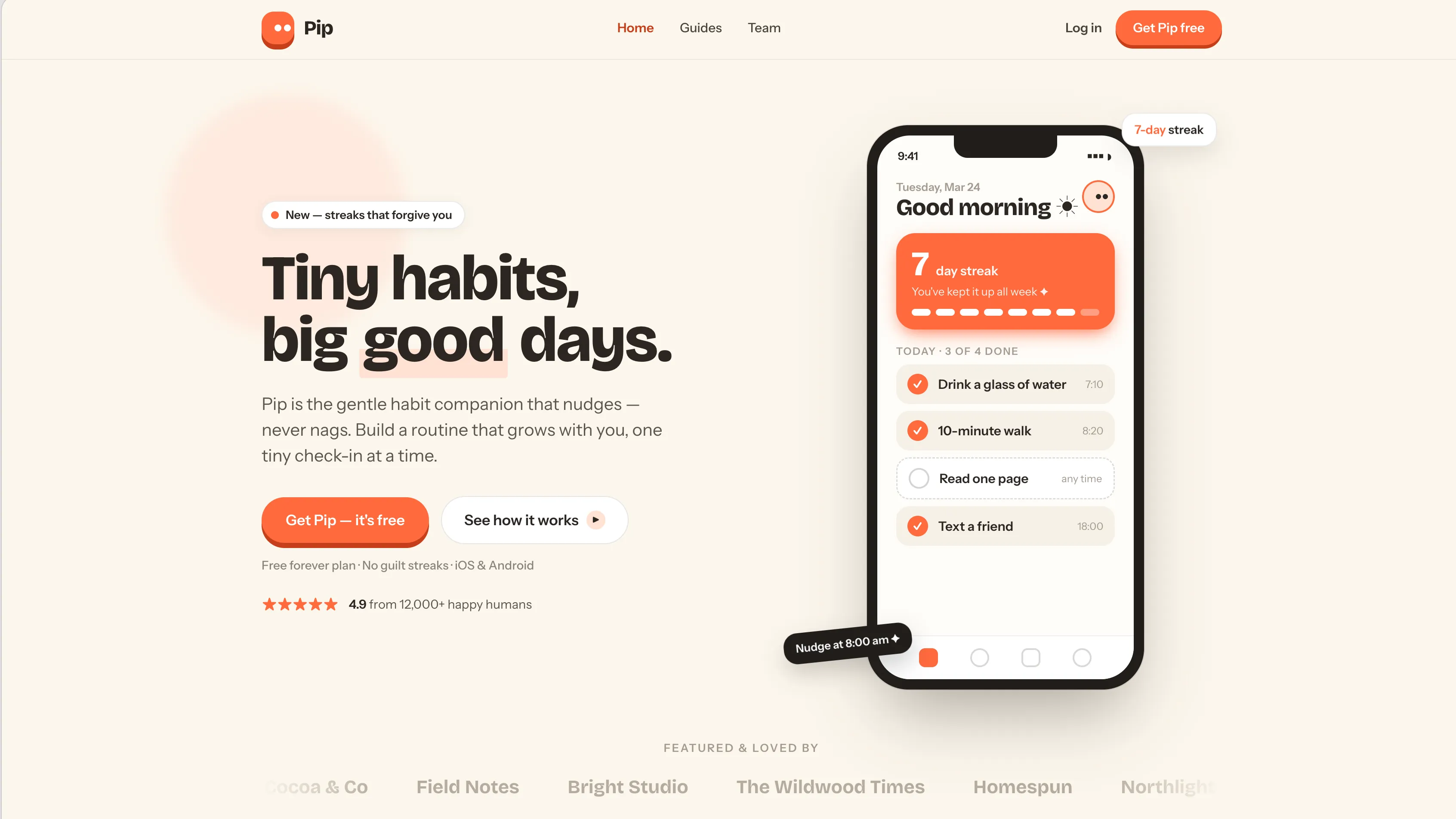
From here on, the examples come from a real site. Pip is a small marketing site for a fictional habit app, built from the same parts as the example above. A landing page, a team page, and long-form guides instead of a blog. The difference is that on Pip, every one of those has somewhere to live. Five collections cover all of it.
The snippets throughout this guide show Pip’s real code and schemas, sometimes simplified to illustrate a point. The full code is in the repository linked above, and you can also take a look at Pip’s actual site.
On Pip, the co-founder is an entry in the team collection. One file, one set of fields, one home for everything true about them.
A collection’s loader tells Astro where those entries come from. file() reads multiple entries from one shared file; glob() collects entries from separate files.
- id: maya-chen
  name: Maya Chen
  role: Co-founder · Product
  department: Product
  group: leadership

# …and eight moreconst team = defineCollection({
loader: file('./src/content/team/team.yaml'),
schema: z.object({
name: z.string(),
role: z.string(),
department: z.enum(['Product', 'Engineering', 'Design', 'Community']),
group: z.enum(['leadership', 'flock']),
}),
});---
title: The gentle science of habit formation.
publishDate: 2026-02-18
author: maya-chen
---Now the team page, the homepage teaser, and the guide byline all read the same entry.
Every fact about your site gets one home, and changing it means changing one file.
What the schema gives you
The obvious benefit is that broken content stops the build.
Delete Maya’s role and you get this, before anything is deployed:
[InvalidContentEntryDataError] team → maya-chen data does not match collection schema.

  role: Required

  Location:
    src/content/team/team.yaml:0:0
The same schema also generates TypeScript types, so member.data.department is a union of the four departments rather than string, and your editor completes it.
The schema is a machine-readable description of what your content is, so the build isn’t its only reader. A content management system (CMS) can generate an editing form from it, and an AI agent can write a valid entry against it without guessing at the shape.
Those benefits are automatic. References, image validation, and reusable entries require deliberate modeling, and the next sections cover each one.
References between collections
This is the fix for the stale byline from the introduction. Instead of storing its author’s name, a guide stores a reference to an entry in the team collection, and reference() is what turns that field into a link Astro can resolve.
import { defineCollection, reference } from 'astro:content';
import { z } from 'astro/zod';
import { file, glob } from 'astro/loaders';

const team = defineCollection({
  loader: file('./src/content/team/team.yaml'),
  schema: z.object({ name: z.string(), role: z.string() }),
});

const guides = defineCollection({
  loader: glob({ pattern: '**/*.{md,mdx}', base: './src/content/guides' }),
  schema: z.object({
    title: z.string(),
    author: reference('team'),
  }),
});

export const collections = { team, guides };- id: maya-chen
name: Maya Chen
role: Co-founder · Product---
title: The gentle science of habit formation.
author: maya-chen
------
import { getEntry } from 'astro:content';
const { guide } = Astro.props;
// getEntry() turns the reference into the fully typed team entry
const author = await getEntry(guide.data.author);
---
<h1>{guide.data.title}</h1>
<p>By {author.data.name}, {author.data.role}</p>A reference doesn’t check that the entry exists
reference() checks the shape of the link and the collection it points into, but doesn’t check that the entry exists. Remove Maya from team.yaml and every guide still validates, because maya-chen is a valid string.
In fact, getEntry() returns undefined when a page renders, making the log line easy to miss.
Entry team → maya-chen was not found.What happens next depends on how the template reads the author.
author!.data.namefails the build with an unhelpful type error.author?.data.namepasses the build and ships the page with an empty byline.
It’s best to state the expectation clearly in the template that resolves the reference.
const author = await getEntry(guide.data.author);

if (!author) {
  throw new Error(`Guide ${guide.id} points at missing team member ${guide.data.author.id}`);
}
Now retiring a team member fails the build, with a message naming both ends of the broken link.
Optimized images
Astro passes an image() helper to the schema, which turns a path in frontmatter into a validated, fully described image rather than a string you have to trust. Pip’s team photos use it:
import { defineCollection } from 'astro:content';
import { z } from 'astro/zod';
import { file } from 'astro/loaders';

const team = defineCollection({
  loader: file('./src/content/team/team.yaml'),
  schema: ({ image }) => z.object({
    name: z.string(),
    role: z.string(),
    // Optional: people without a photo fall back to their initials
    avatar: image().optional(),
  }),
});

export const collections = { team };- id: maya-chen
name: Maya Chen
role: Co-founder · Product
avatar: ./images/maya-chen.jpg---
import { Image } from 'astro:assets';
const { member } = Astro.props;
---
<!-- avatar is an image object, so its width, height and format are known here -->
{member.data.avatar && <Image src={member.data.avatar} alt={member.data.name} />}
<h3>{member.data.name}</h3>From there Astro takes over. It compresses the file, serves it in modern formats, and writes the intrinsic width and height into the markup to prevent layout shift while the image loads.
To serve unoptimized images, such as logos, place them in the /public directory. For external images, use z.string().url() instead and pass explicit dimensions to <Image> to avoid layout shift.
Reusable content
Not every collection needs to become a page.
In fact, websites often have fragments of content that show up on several pages. Think of testimonials, FAQ answers, and pricing tiers, for example.
Modeled as collections, they get written once, and are easily reused across multiple pages, keeping the content consistent and easy to update.
Pip keeps its testimonials inline in home.yaml, because today they appear on exactly one page. The moment the same quote is wanted on /team too, that stops being the right shape. This is what it becomes:
import { defineCollection, reference } from 'astro:content';
import { z } from 'astro/zod';
import { glob } from 'astro/loaders';

const testimonials = defineCollection({
  loader: glob({ pattern: '*.yaml', base: './src/content/testimonials' }),
  schema: z.object({
    quote: z.string(),
    name: z.string(),
    role: z.string(),
  }),
});

const pages = defineCollection({
  loader: glob({ pattern: '*.mdx', base: './src/content/pages' }),
  schema: z.object({
    title: z.string(),
    // Each page picks the testimonials it wants, in the order it wants them
    testimonials: z.array(reference('testimonials')).default([]),
  }),
});

export const collections = { testimonials, pages };---
title: Pip — The team
testimonials:
- aicha-lyon
- jordan-portland
------
import { getEntries } from 'astro:content';
const { page } = Astro.props;
// getEntries() resolves the whole list in one call, fully typed
const testimonials = await getEntries(page.data.testimonials);
---
<h1>{page.data.title}</h1>
{testimonials.map((testimonial) => (
<blockquote>
<p>{testimonial.data.quote}</p>
<footer>{testimonial.data.name}, {testimonial.data.role}</footer>
</blockquote>
))}Correct a typo in the quote, and it’s corrected everywhere it appears.
Best practices
Choose the format and the loader
Picking the correct format and loader is crucial for the long-term maintainability of your content. Choose them wisely to set the right balance between developer control and editor freedom.
Choosing the format
Astro supports multiple formats such as YAML, JSON, Markdown, and MDX, but how do you then choose the right one for your content?
Think of Markdown and MDX as documents, and YAML and JSON as records.
A record is filled in. A document is written. A record is one where you can name every field before anyone writes a word, such as an address. A document, on the other hand, has a body that the writer fills in.
When both labels seem to fit, imagine removing the prose body. Is it still the same thing? A team member without a bio is still a team member, so it’s a record. A guide, or a page composed of blocks, is nothing without its body, so it’s a document.
| The entry | YAML / JSON | Markdown | MDX |
|---|---|---|---|
| Has a body? | No, a record, and its fields are all there is | Yes, the body is the point | Yes, the body is the point |
| Does every entry use the same template? | Yes | Yes | No, editors arrange the page |
| Does the body need components? | — | No, Markdown syntax covers it | Yes: a callout, a demo, a chart, or a page composed of blocks |
| On Pip | settings, home, team | — | pages, guides |
If you’re debating between YAML and MDX, ask yourself if the page layout might change entry-to-entry. If so, use MDX, as it allows the editor to compose the page from components as they see fit.
If all you want is to render standard elements with your own components, for example a custom heading, a styled link, a code block with a copy button, pass them as props to the Content component:
<Content components={{ h2: Heading, a: Link }} />The content stays plain Markdown, and the styling stays in code where it belongs.
Choosing the loader
Documents are always written one at a time, so they’ll always use glob().
const guides = defineCollection({
  loader: glob({ pattern: '**/*.{md,mdx}', base: './src/content/guides' }),
  schema: z.object({ title: z.string() }),
});
For records, a choice has to be made.
| The files | file() | glob() |
|---|---|---|
| Where entries live | Every entry in one file | One file per entry |
| An entry’s ID comes from | an | the file name |
| Formats it reads | YAML, JSON | YAML, JSON, Markdown, MDX |
| Reach for it when | Records are short, and added and reordered as one list | Entries are edited on their own, or one file would be too long to scan |
| On Pip | team | settings, home, pages, guides |
In general, pick the file loader over the glob one when entries are mostly added and edited as a list, for example a list of teammates.
Example: Pip’s five collections
Pip’s five collections cover the landing page, two composed pages, nine people and the guides, and between them they use all three formats.
const settings = defineCollection({ loader: glob({ pattern: '*.yaml', base: './src/content/settings' }),      /* … */ });
const home     = defineCollection({ loader: glob({ pattern: '*.yaml', base: './src/content/home' }),          /* … */ });
const pages    = defineCollection({ loader: glob({ pattern: '*.mdx',  base: './src/content/pages' }),         /* … */ });
const team     = defineCollection({ loader: file('./src/content/team/team.yaml'),                             /* … */ });
const guides   = defineCollection({ loader: glob({ pattern: '**/*.{md,mdx}', base: './src/content/guides' }), /* … */ });

export const collections = { settings, home, pages, team, guides };
These collections don’t mirror the site map. settings and team never render as a page of their own, and pages holds two pages that look nothing alike. Each collection holds one kind of content, and its format follows from what that kind of content is:
| Collection | Format | What it holds |
|---|---|---|
settings | YAML · single entry | Brand, theme, nav, footer. No body, and every field is read straight into a component’s props. |
home | YAML · single entry | The nine sections of the landing page. Still no body: every field is a headline, a label, or a button caption. |
pages | MDX · glob() |
|
team | YAML · file() | Nine people, a handful of short fields each, added and reordered as one list. |
guides | MDX · glob() | Long-form articles, one file per entry, with components wherever the prose needs them. Everything the guides index shows sits in frontmatter, so a listing never has to open a body. |
Split content out when it needs an identity of its own
Keep the nav on settings, not in its own collection. A menu only makes sense as an ordered whole, and storing each link as a separate entry would scatter that order.
Keep the landing page as one entry too. There is one hero on one page, and nothing else needs to reference it. Split content into its own collection when other entries need to point at it, or when it genuinely appears in more than one place.
A record stays a record, however big the page it fills
The landing page is the tempting exception here. It’s the biggest page on the site, so MDX feels like the obvious home for it. But nothing on that page is prose. You can name every field in advance. Each field is a short string passed to an existing component, so the entry has no body. That makes it YAML.
Modeling it as MDX blocks would also hand the section order to whoever edits the text, and the order of the sections is a design decision. As YAML, it stays in index.astro, where an editor can change every word on the page and still not be able to put the FAQ above the hero.
The pages collection is the same question with the opposite answer. Each of its entries picks a different set of blocks, and new pages should be addable without a developer touching a route. A schema can’t describe a shape that changes from entry to entry, so the composition moves into the body authored as a stack of components.
Choose the loader based on how entries are edited
The team is one short list, added to and reordered all at once, so it’s one YAML file with every person in it, loaded by file(). Guides are written one at a time over months, so each gets its own file and glob() picks them all up.
settings and home are the odd ones. They use glob() pointed at a directory holding exactly one file. The next section shows how to model a singleton with glob().
Small choices in the schema decide how much an editor can break. An enum
instead of a string turns a field into a dropdown the design already supports.
A default() means an omitted layout setting can’t collapse a grid. And
reference() gives a byline one typed link to follow, which a guard on
getEntry() can turn into a build failure when the entry behind it is gone.
Singletons hold exactly one entry
Some content is exactly one of a thing, like site settings, the homepage, an about page, a privacy policy, or the text for a 404 page. Content like this still needs its own collection and a schema.
Astro has no built-in singleton collection type, so everyone has to work the pattern out for themselves, and the natural first guess of file() is wrong. It reads a file as a set of entries: either an array of objects carrying id fields or an object keyed by ID. Neither shape describes a single entry.
The pattern that works is glob() pointed at a directory that holds exactly one file:
const settings = defineCollection({
  // One file in the directory, so one entry in the collection
  loader: glob({ pattern: '*.yaml', base: './src/content/settings' }),
  schema: z.object({
    brand: z.object({ name: z.string(), tagline: z.string() }),
    contactEmail: z.email(),
  }),
});---
import { getEntry } from 'astro:content';
// general.yaml → ID 'general'
const settings = await getEntry('settings', 'general');
---
<title>{settings.data.brand.name}</title>That one file is the entry, its name becomes the ID, and getEntry() reads it back. Pip models both settings and home this way.
Astro has an open proposal for declaring a collection to be a singleton, so tools can recognize one without inferring it from a directory holding a single file.
Use constraints to protect and guide editors
A schema that stops at names and types, where title is a string and tags is an array, only catches the crudest mistakes. It will happily accept an empty title, a description that runs to four hundred characters, and a category that no page on the site knows how to render.
Constraints block invalid content at build time and tell editors what values are allowed. In a CMS, an enum becomes a dropdown, a max length becomes a character counter, and a default fills itself in.
Use z from astro/zod. Astro 6 deprecated the older astro:content re-export. See the Astro v6 upgrade guide.
Astro 5.x uses Zod 3. Astro 6.x and 7.x use Zod 4. See Astro’s Zod 4 migration notes for details.
Required, optional, and defaults
Every field in a Zod object is required by default. A missing required field fails the build and names the file and the field, which is exactly what you want for anything the template can’t render without.
There are two ways to relax that, .optional() and .default(), and they behave very differently. Pip’s guides collection uses both, next to a plain required field:
schema: z.object({
  // Required. The build fails if it's missing.
  title: z.string(),

  // Optional. May be absent, and every template that uses it must
  // handle the absence: present means render the large hero figure.
  heroCaption: z.string().optional(),

  // Defaulted. May be omitted in the file, but always present in
  // the code: an omitted value means the default.
  featured: z.boolean().default(false),
  heroVariant: z.enum(['accent', 'forest', 'grape']).default('accent'),
})
Reach for .optional() only when absence is meaningful, and there is no natural default value.
Reach for .default() for fields that have a natural default value, such as layout variants, feature toggles, status flags, etc. This way, editors only write the field when they mean to deviate, and templates never branch, because the value is always there.
Lengths and ranges
In Zod, z.string() accepts an empty string, so .min(1) is the difference between “the field exists” and “the field says something”. From there, tie every limit to a reason the site can name:
schema: z.object({
  // Longer titles get cut off on the guide index cards
  title: z.string().min(1).max(60),

  // Enforce sensible limits for the tagline
  tagline: z.string().min(50).max(160),

  // The homepage renders this as a row of stars
  rating: z.number().min(0).max(5).default(5),

  // The features grid is four columns wide
  colSpan: z.int().min(1).max(4).default(1),
})
The same methods work across types: .min() and .max() constrain a string’s length, an array’s size, and a number’s value. z.int() rejects the 3.5 that z.number() would let through.
Be deliberate about which limits become hard errors. A title that must fit a card is a design constraint, and the build is right to enforce it. A team preference like “descriptions around 120 characters read best” is editorial taste, and encoding taste as a build failure teaches editors to fight the schema instead of trusting it.
Fixed sets and formats
Free-form strings are the most common source of quietly wrong content. Whenever the set of valid values is finite, or the value has a well-known shape, say so:
schema: z.object({
  // Only the departments the team page groups by
  department: z.enum(['Product', 'Engineering', 'Design', 'Community']),

  // Well-known shapes get dedicated checks
  contactEmail: z.email(),
  canonicalUrl: z.url().optional(),

  // Anything else can be pinned down with a regex
  accentColor: z.string().regex(/^#[0-9a-fA-F]{6}$/, 'Use a six-digit hex color, such as #1a2b3c'),

  // Accepts both quoted strings and YAML's native dates
  publishDate: z.coerce.date(),
})
Pip goes one step further with color. Rather than a hex regex, its accent is an enum of the four palette names the design actually supports. A regex only checks that a value is well-formed hex, so it would happily accept #ff00ff. The enum keeps the choice inside the palette.
Rules that span fields
Per-field constraints cover almost everything, but some rules only exist between fields. An update date can’t precede the publish date, and a promotional campaign needs an end date if it has a start date. For those, add .refine() to the object:
schema: z.object({
  title: z.string(),
  publishDate: z.coerce.date(),
  updatedDate: z.coerce.date().optional(),
}).refine(
  (guide) => !guide.updatedDate || guide.updatedDate >= guide.publishDate,
  { error: 'updatedDate cannot be earlier than publishDate', path: ['updatedDate'] },
)
The path attaches the error to a specific field, so both the build failure and a CMS form point at updatedDate rather than vaguely at the entry. Treat .refine() as a last resort. A rule expressed as a field constraint is visible to every tool that reads the schema, while a rule inside a refinement function is opaque until it fires. Use it for the few relationships that genuinely involve more than one field.
Many CMSes maintain a separate content definition. Keystatic1 expresses a length limit through field validation and a fixed set through a select field; Decap CMS2 uses required and regex pattern options.
ZeroCMS3 reads the constraints directly from content.config.ts instead, so there’s one schema rather than two. Enums become dropdowns, lengths become character counters, and invalid content is flagged as the editor types, long before a build has the chance to fail.
Use objects to group related fields
A flat schema is fine at five fields and a mess at twenty. The usual symptom is prefix naming, where fields like heroTitle, heroBody, ctaLabel, and ctaHref clearly belong together but are only held together by their names.
Zod objects nest, and frontmatter nests with them. Pip’s homepage schema is built this way:
import { defineCollection } from 'astro:content';
import { z } from 'astro/zod';
import { glob } from 'astro/loaders';

const link = z.object({ label: z.string().max(24), href: z.string() });

const home = defineCollection({
  loader: glob({ pattern: '*.yaml', base: './src/content/home' }),
  schema: z.object({
    hero: z.object({
      badge: z.string(),
      title: z.string(),
      body: z.string(),
      primaryCta: link,
    }),
    // Optional as a whole: a label without a link is half a button
    teamTeaser: z.object({
      title: z.string(),
      cta: link,
    }).optional(),
  }),
});

export const collections = { home };hero:
badge: Now on iOS and Android
title: Tiny habits, big good days.
body: No guilt streaks. No shame spirals. Just a gentle nudge from a small bird.
primaryCta:
label: Get Pip free
href: /#cta
teamTeaser:
title: The humans behind Pip
cta:
label: Meet the flock
href: /teamOptionality now lives at the right level. teamTeaser is optional as a whole, but once it’s present, both its title and its link are required, so a half-filled section can’t reach production. Templates simplify too, because a group maps naturally onto a component. <Hero {...home.data.hero} /> hands the whole object over, and adding a field to the group is one schema line and one component prop, with no page template in between.
Group by what’s consumed together. If a set of fields always travels as a unit into the same component, it should be an object. If two fields merely sound related but feed different parts of the page, leave them flat.
Create and reuse common schemas
The groups from the previous section rarely stay in one collection. Pip’s link, a label and an href, appears in the nav, in the footer, in every CTA button, and on each team member’s social icons. Its sectionHeader sits above most of the homepage’s sections.
Zod schemas are ordinary values, so the shared ones can be defined once and reused:
import { defineCollection } from 'astro:content';
import { z } from 'astro/zod';
import { glob } from 'astro/loaders';

// ── Shared sub-schemas ──
const link = z.object({ label: z.string().max(24), href: z.string() });
const sectionHeader = z.object({ eyebrow: z.string(), title: z.string() });
const ctaBand = z.object({
  title: z.string(),
  body: z.string(),
  buttons: z.array(link),
  variant: z.enum(['accent', 'dark']).default('accent'),
});

const home = defineCollection({
  loader: glob({ pattern: '*.yaml', base: './src/content/home' }),
  schema: z.object({
    features: z.object({ header: sectionHeader /* … */ }),
    faq: z.object({ header: sectionHeader /* … */ }),
    cta: ctaBand,
  }),
});

const settings = defineCollection({
  loader: glob({ pattern: '*.yaml', base: './src/content/settings' }),
  schema: z.object({
    nav: z.array(link),
    footer: z.object({ socials: z.array(link).default([]) }),
  }),
});

export const collections = { home, settings };
Tighten link’s label limit once, and the nav, the footer, and every CTA button pick it up on the next build. Once the shared types outgrow the top of the config, or once components start importing them too, move them into their own module and import them from both places.
When two collections share a whole base rather than a field, .extend() adds fields to a copy of it, so each collection states only what makes it different:
const page = z.object({ title: z.string(), description: z.string().optional() });

const pages  = defineCollection({ /* … */ schema: page });
const guides = defineCollection({ /* … */ schema: page.extend({ publishDate: z.coerce.date() }) });
Turning schemas into types
Zod schemas are ordinary values, so they can be turned into types using z.infer. This is especially useful in components, where a component can take its props straight from the schema:
---
import { z } from 'astro/zod';
import { ctaBand } from '../../schemas';

type Props = z.infer<typeof ctaBand>;

const { title, body, buttons, variant } = Astro.props;
---

<section class={variant}>
  <h2>{title}</h2>
  <p>{body}</p>
  {buttons.map((button) => <a href={button.href}>{button.label}</a>)}
</section>
Rename label in the schema and the component stops compiling, instead of quietly rendering an empty button.
The image() helper only exists inside a collection’s schema function, so a shared type that needs an image has to be a function that accepts it. Pip’s team avatars are defined this way:
import { z } from 'astro/zod';
import type { SchemaContext } from 'astro:content';

export const avatar = ({ image }: SchemaContext) => z.object({
  src: image(),
  alt: z.string(),
});
Not everything needs a collection
Pip puts every word a marketer might reasonably want to change into a collection. That still isn’t everything.
“Is this content?” makes a poor test, because almost everything is. Ask instead who should be able to change it, and what happens when they get it wrong.
The cases worth leaving out are the ones where a mistake is expensive rather than merely visible. A wrong headline is embarrassing and fixed in a minute. A wrong price ID charges the wrong amount, and no schema will catch it, because the value is valid.
Reading collections back
Everything so far has been about the shape of the content. The next step is getting it out again, in every place that needs it.
getCollection() returns everything, in no particular order
Two behaviors of getCollection() can cause real bugs.
First of all, it returns every entry. So, if your schema has a field that should control visibility, such as a draft field, it will return all entries, including the ones that are not draft.
Second, it returns them in no guaranteed order. Astro’s own docs describe the sort order as non-deterministic and platform-dependent. Meaning that a listing that looks just right on your machine can come out shuffled on the build machine.
A page that lists entries should never just call getCollection(). Depending on your schema, it needs sorting, and possibly filtering:
---
import { getCollection } from 'astro:content';

// assumes draft and publishDate fields are on the schema
const guides = (await getCollection('guides', ({ data }) => !data.draft))
  .sort((a, b) => b.data.publishDate.valueOf() - a.data.publishDate.valueOf());
---
URLs are based on IDs
glob() builds an entry’s ID from its path relative to base, minus the extension, with each segment slugified:
| File | ID |
|---|---|
guides/first-week.mdx |
first-week |
guides/2026/first-week.mdx |
2026/first-week |
guides/My First Week.mdx |
my-first-week |
guides/about/index.mdx |
about |
The second row causes two surprises:
'*.mdx'matches only the top level. Use'**/*.mdx'for nested folders.- Nested folders remain in the ID, so use
[...slug].astro. A[slug].astroroute will not match those nested IDs.
file() has no file name to work with, so each entry declares its own id:, which is why Pip’s team.yaml starts every person with id: <slug>.
A slug field in an entry’s frontmatter overrides the derived ID. Set it, and
the file can be renamed, moved into a folder, or retitled without the URL
moving. glob() also takes a generateId option if a whole collection needs
a different rule.
Adopting content collections
Everything since the introduction has shown the finished version of Pip. Getting there from the site described at the top, with one collection for the blog and everything else hardcoded, is its own job. You can adopt collections incrementally, one at a time.
- Audit what you have today
Content hides in three places: page files, ad-hoc data files, and Markdown you already have. Note what each piece is, who edits it, and how often. Repetition is the strongest signal.
- Plan your content structure
Group by kind, not by site map. Sketch each schema as a list of fields and constraints, and mark where one collection references another. Sketching this first prevents reshuffling files later.
- Define your collections
Create
src/content.config.ts, starting with the collection that has the most entries and the simplest shape. Runnpx astro syncafter each change and let the errors point at what to fix next. - Migrate your existing content
Markdown entries mostly need renaming and their frontmatter aligned to the schema; prose trapped in
.astropages has to be extracted into entries. Point an agent at this guide, the schema and the old pages, then review the diff. - Verify it works
The build is your first verifier: a pass means every entry matches its schema. References only fail the build when the code that resolves them includes the explicit
getEntry()checks shown earlier. Then diff a few rendered pages and check the sitemap for URLs that appeared or disappeared. Only after that, delete the old files.
Where this leaves you
After the migration, each fact lives in one entry, the schema rejects invalid data, and pages read that entry instead of duplicating it.
The schema is useful beyond build checks: the IDE can infer types, agents can generate valid entries, and a CMS can generate forms.
Collections make content editable without touching a template, but they leave it as files in a Git repository, which is comfortable for a developer and much less so for everyone else.
A Git-based CMS closes that gap. Decap CMS2 and Keystatic1 put a visual editor over the files, TinaCMS4 adds inline editing on the rendered page, and ZeroCMS3 turns your content collections visually editable by anyone with a browser.
Related resources
-
Pip, the example site used throughout this guide:
CMS references
Footnotes
Now give your collections an editor.
Connect your Astro repo and Zero turns every collection into a form your team can edit. 14-day free trial.